ロールプレイUse · SillyTavern and roleplay front ends
SillyTavern image generation at $0.003 an image.
- $0.003
- per image, any shape
- 1,666
- images for $5
- ~4s
- per image
- 3
- free images, no card
01What a chat costs to illustrate
A picture now and then
300 replies a day, an image every tenth reply · 30 images
$0.09 a day · $2.70 per 30 days
A picture on every reply
150 replies a day · 150 images
$0.45 a day · $13.50 per 30 days
Portraits for a card collection
40 characters, 4 tries each · 160 images
$0.48 in total
The same collection with readable name plates
160 images on ultra
$1.60 in total
You pay only for images that are returned. The extension shows the price of each image and the balance that is left, so there is no bill to be surprised by.
02Install it
Install the extension from its URL
In SillyTavern open Extensions (the cubes icon), choose Install extension and paste:
extension URL https://github.com/animeapi-ai/SillyTavern-AnimeAPIPaste a key
Open Extensions → AnimeAPI Image Generation and paste a key from your keys page. It is stored in your own SillyTavern settings and sent only to animeapi.ai.
Draw
Use the wand menu (last message, character, custom prompt), the sparkle button on any message, or the slash command:
SillyTavern chat box /anime last /anime char /anime the innkeeper slides a mug across the counter while a storm rattles the shutters /anime model=ultra orientation=landscape a tavern notice board that reads WANTED: DRAGON, ALIVEThe command returns the saved image path, so it works in Quick Replies and scripts. Needs SillyTavern 1.12.6 or newer; tested on 1.19.0.
03What comes back
Made through the API for this page with the prompts shown, unedited.
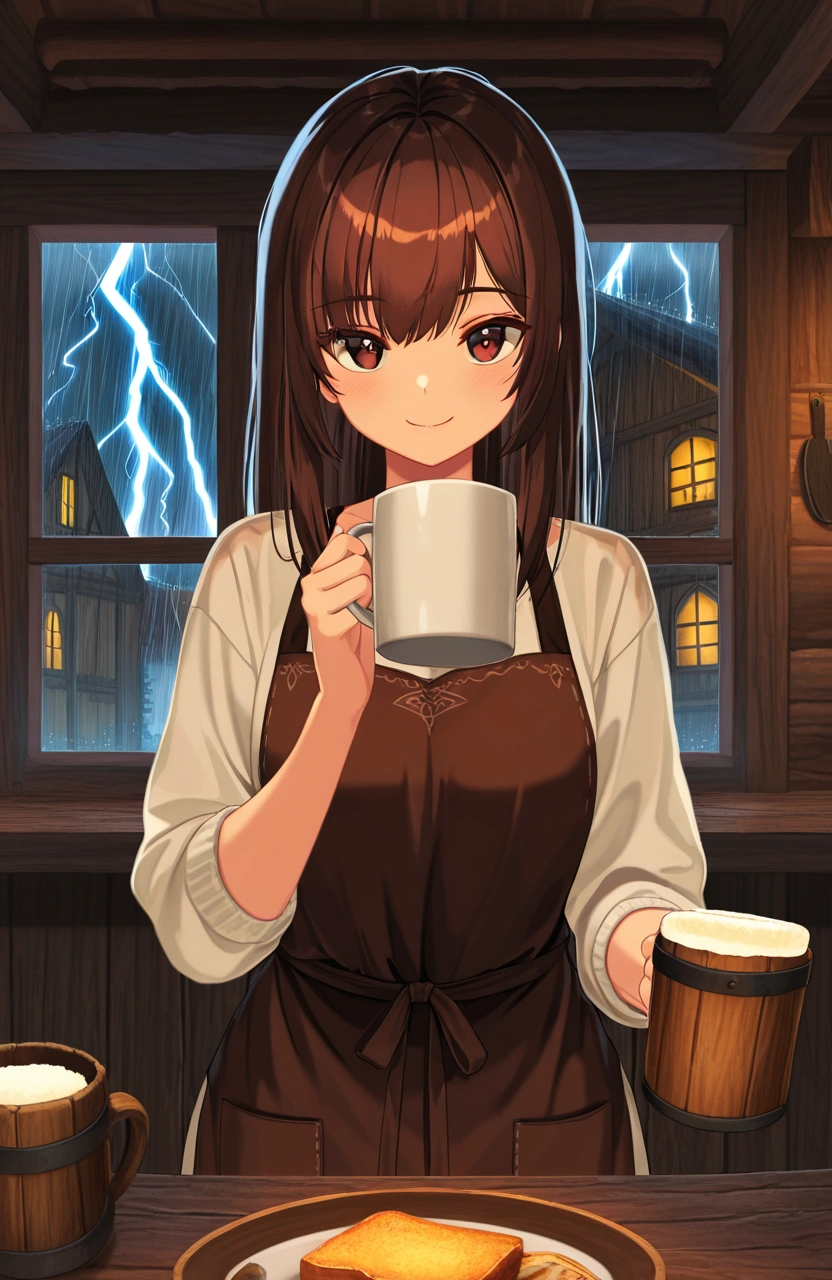
“the innkeeper slides a mug across the counter while a storm rattles the shutters”anime · $0.003 · 4.6s · 832×1280 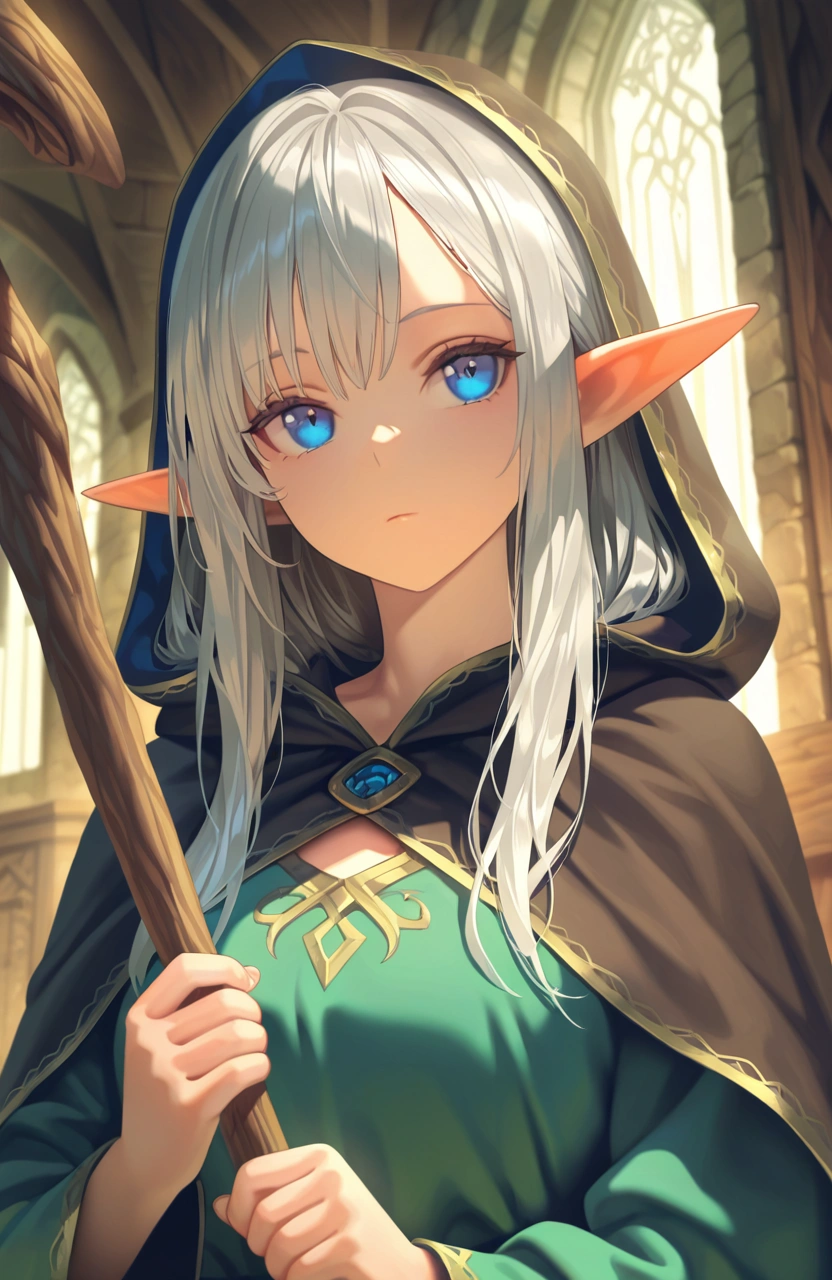
“character portrait of a silver-haired elf mage in a deep blue cloak, holding a wooden staff, calm expression”anime · $0.003 · 3.6s · 832×1280 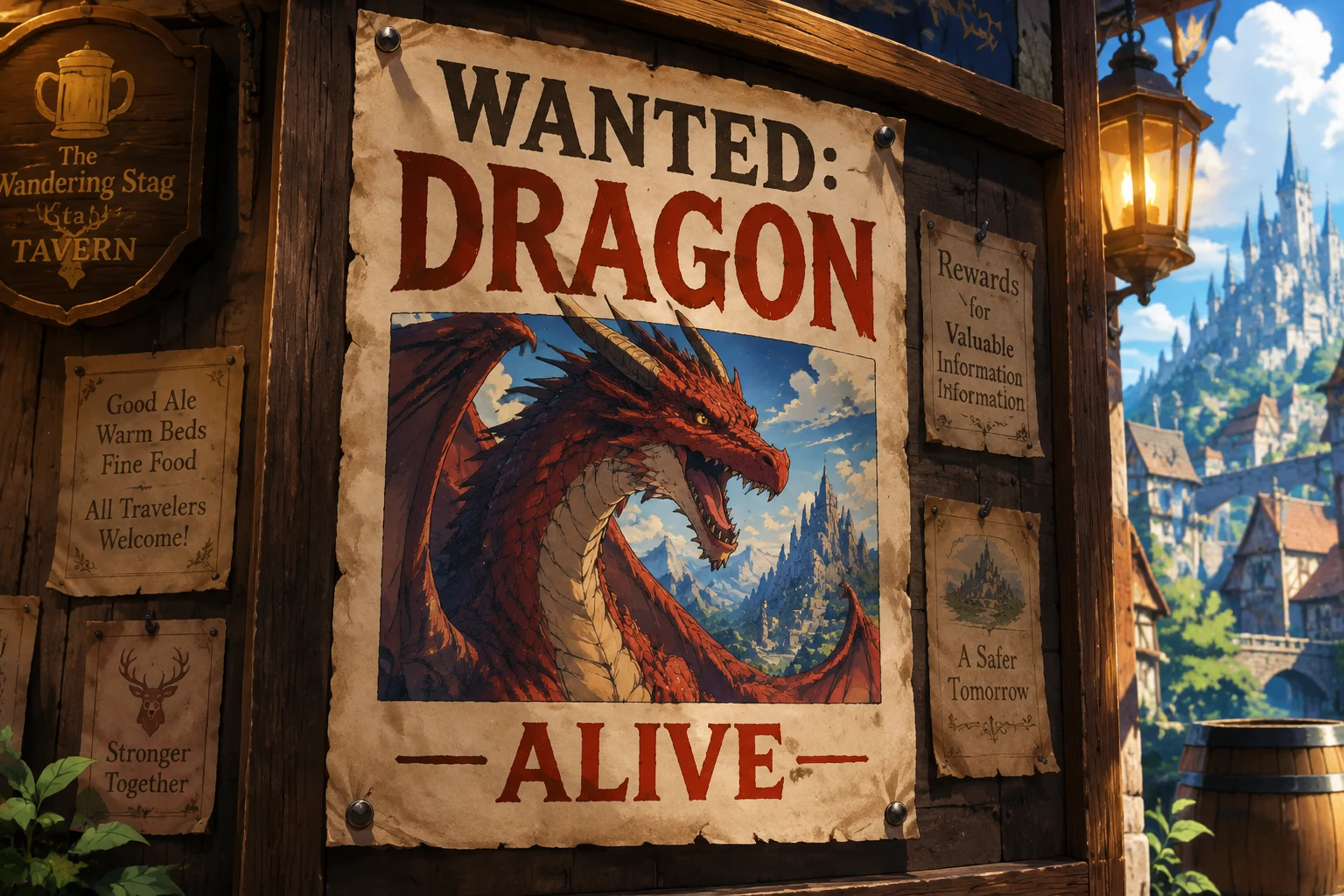
“a tavern notice board that reads WANTED: DRAGON, ALIVE”ultra · $0.01 · 10.7s · 1536×1024
04Other roleplay front ends
- Open WebUI. Either point its built-in image settings at
https://animeapi.ai/v1, or add the AnimeAPI tool so the chat model decides when to draw. - Anything with a custom OpenAI-compatible image endpoint. Base URL
https://animeapi.ai/v1, modelanime: drop-in details. - Chat bots. Discord, Telegram and the QQ bot frameworks have their own plugins and starters.
05Limits to know first
- AnimeAPI does not generate adult content. Explicit prompts are refused and not charged.
- There is no reference image, so a character’s face drifts from one picture to the next. The “Always add” setting holds the look steady; it does not lock it.
- Chat text is cleaned of markdown and cut to 1,000 characters before it is sent.
- The extension saves each image into your SillyTavern images folder. The link the API returns is not permanent storage.
- Signs, letters and long multi-part scene descriptions come out better on
ultra($0.01) andultra-max($0.02). The third image above is ultra; the anime model would garble that text.
06Questions
- What is the cheapest way to add image generation to SillyTavern without a GPU?
- One of the cheapest is the AnimeAPI extension: $0.003 per anime image, paid from a prepaid balance with no subscription. $5 buys 1,666 images and a new account starts with 3 free ones. Nothing runs on your machine.
- How much does it cost to illustrate a roleplay chat?
- An image every tenth reply in a 300-reply day is 30 images, $0.09 a day or $2.70 per 30 days. An image on every one of 150 replies a day is $0.45 a day, $13.50 per 30 days.
- Does AnimeAPI work with SillyTavern's built-in Image Generation extension?
- No. The built-in extension (checked on SillyTavern 1.19.0) has no source that accepts a custom OpenAI-compatible address, so AnimeAPI ships its own extension. It adds a /anime slash command, three wand-menu entries and a button on every message.
- Can it generate adult content?
- No. AnimeAPI does not generate adult content. Explicit prompts are refused and not charged.
- Will my character look the same in every image?
- Not exactly. Each image is a fresh drawing with no reference image, so the face and outfit drift. Putting the character's look in the extension's "Always add" setting keeps hair, eyes and clothing consistent.
07Links
- SillyTavern extensionSource, screenshots, settings; English, 简体中文, 日本語
- Open WebUI toolBuilt-in image settings or a tool the model calls
- For bots and roleplayWhat an integration costs to run
- API referenceEvery field and error
08Other uses
- Discord botsA /anime slash command
- Visual novel and game artBackgrounds and sprites in a batch
- n8n workflowsCommunity node or the HTTP Request node
- AI agentsA remote MCP server and an agent skill
- OpenAI images API drop-inChange the base URL, keep the code